Overview
Both the 3D hotstart file (hotstart.nc) and the 3D ocean b.c. files (*.D.th.nc) are based on HYCOM. These files include:
- hotstart.nc (initial flow and tracer field from which the model hot-starts)
- elev2D.th.nc (elevation)
- uv3D.th.nc (velocity)
- SAL_3D.th.nc (salinity)
- TEM_3D.th.nc (temperature)
- elev2D.th.nc (elevation)
Modifying the initial conditions in the area of interest
Since HYCOM generally has low resolutions in the coastal zone, modifications on the HYCOM-based initial conditions are often required in the area of interest.
Take the event of Hurricane Florence as an example, salinity and temperature datasets are compiled from USGS observations into a so-called "background grid" that covers North Carolina and South Carolina.
The background grid is in the same format of hgrid.gr3 but only covers the local area.
The values in the background grid are then interpolated onto each grid node in hgrid.gr3 and eventually go into hotstart.nc:
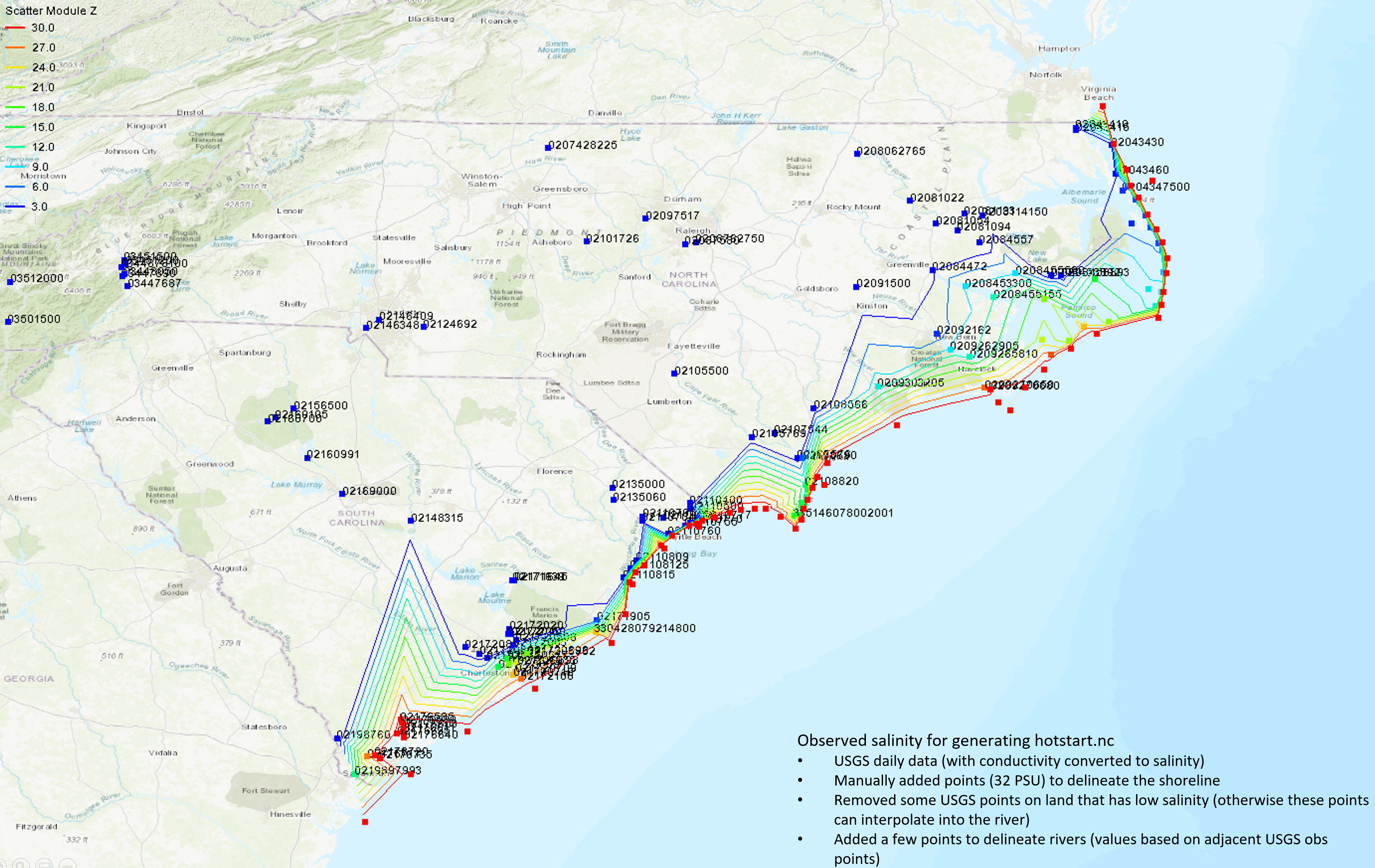
Finally, the watershed (hgrid's z < -3 m) salinity is forced to be 0.
Script
A group of scripts are provided under the SCHISM GIT:
/src/Utility/Pre-Processing/NWM/Hot_and_3Dth/
Copy the folder into your run directory (use "cp -rL"); then put the background grids and the corresponding regions under [your_run_dir]/Hot_and_3Dth/. Samples are provided in Hot_and_3Dth/Sample_local_mod/.
Specify your background grids for the area of interest in the input section of "auto.pl":
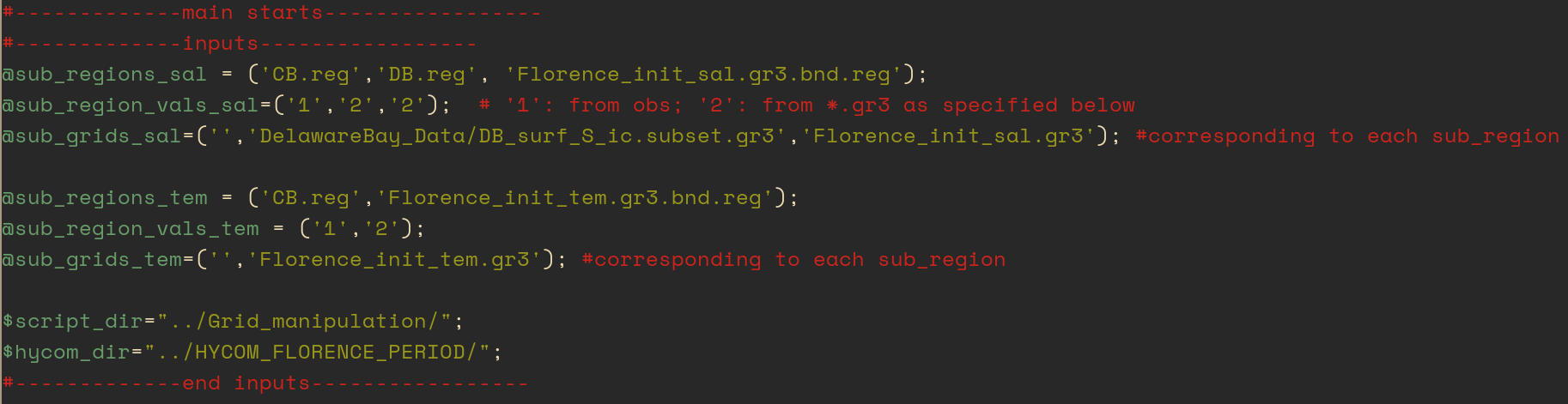
, where the *.gr3 files are the background grids and each region file (*.reg) determines the spatial range of interpolation for each background grid. They can be set the same as or within the background grid boundary. Inside the Chesapeake Bay region (specified by CB.reg), a legacy method is used to interpolate CBP (Chesapeake Bay Program) casts measurements directly into hotstart.nc, which is why no background grids need to be specified.
After the background grids are properly specified, do:
[your_run_dir/Hot_and_3Dth/]$ ./auto.pl
You can read "auto.pl" and see what steps are involved.
If your model setup changes, you may need to change the "number of days" in Hot/gen_hot_3Dth_from_nc.in:

The meaning of each parameter is explained alongside the parameter value (after "!").
Generating *3D.th.nc
Under the current setup, 2D/3D boundary conditions are generated along with hotstart.nc, because both are based on HYCOM.
■