Overview
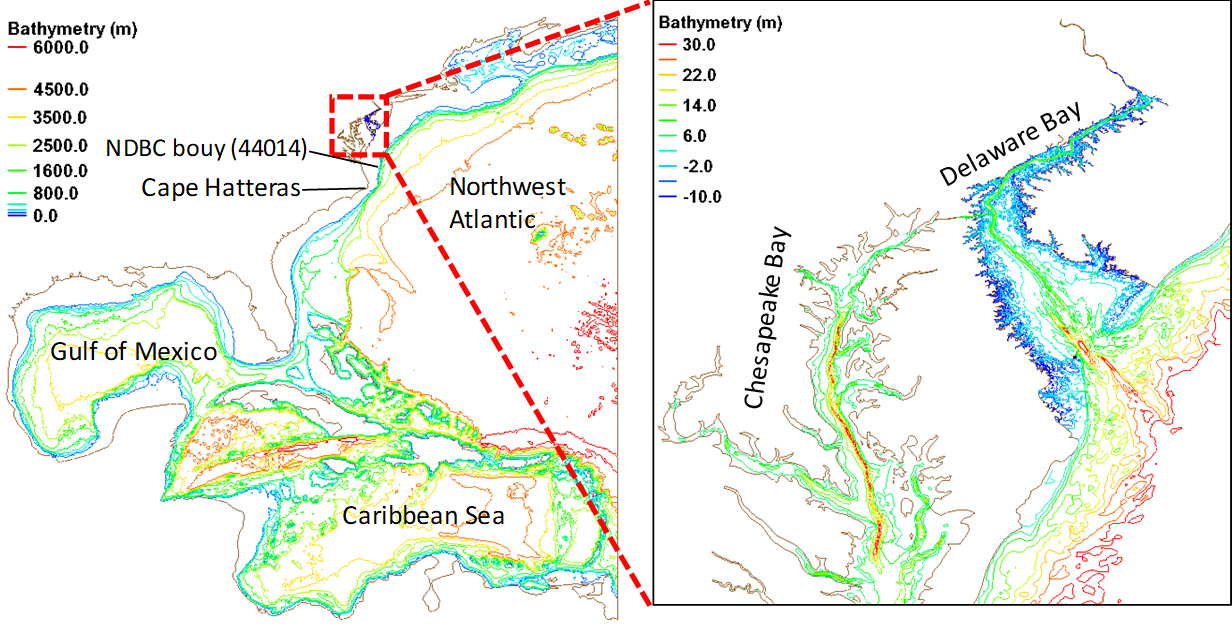
Model domain:
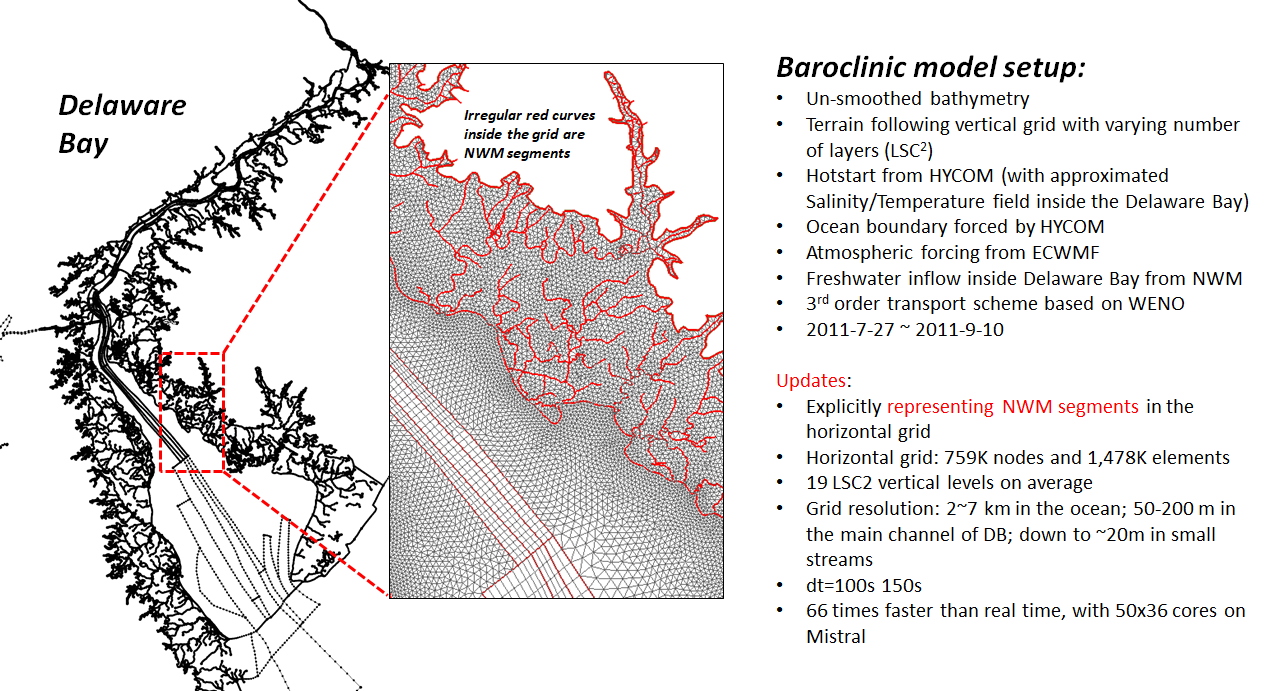
Grid generation
Need SMS license. The latest version (SMS 13 currently) is recommended.
A sample SMS map is uploaded here:
Format conversion
Convert between SMS's format (*.2dm) and SCHISM's format (*.gr3; similar to ADCIRC's */grd or fort.14) on Unix cmd line:
$ your_script_dir/2dm2gr3_m2m.pl 2 mesh.2dm mesh.gr3
$ your_script_dir/grd2sms.pl mesh.gr3 mesh.2dm
Note that boundary info is not processed by these scripts and will be lost upon format conversion.
Also note that we generally make the horizontal grid under Cartesian coordinates, specifically UTM (epsg: 26918; NAD83 / UTM zone 18N) in this case. Rename the *.gr3 as below for later use:
$ cp mesh.gr3 your_run_dir/hgrid.utm.26918
Grid quality
Multiple aspects of grid quality can be checked in SMS and xmgredit (see SCHISM manual for important aspects to check). Most of them won't affect the model's robustness. However, pay attention to skew elements with very small area, which can arise occasionally in the Delaware Bay setup (specifically, from a complex SMS map). These tiny elements can dramatically slow down baroclinic runs. A simple fix can be done in xmgredit:
[your_run_dir]$ xmgredit5 hgrid.utm.26918
(Finding and fixing tiny elements; click image for animation; open in a new tab to always start from the beginning of the animation)
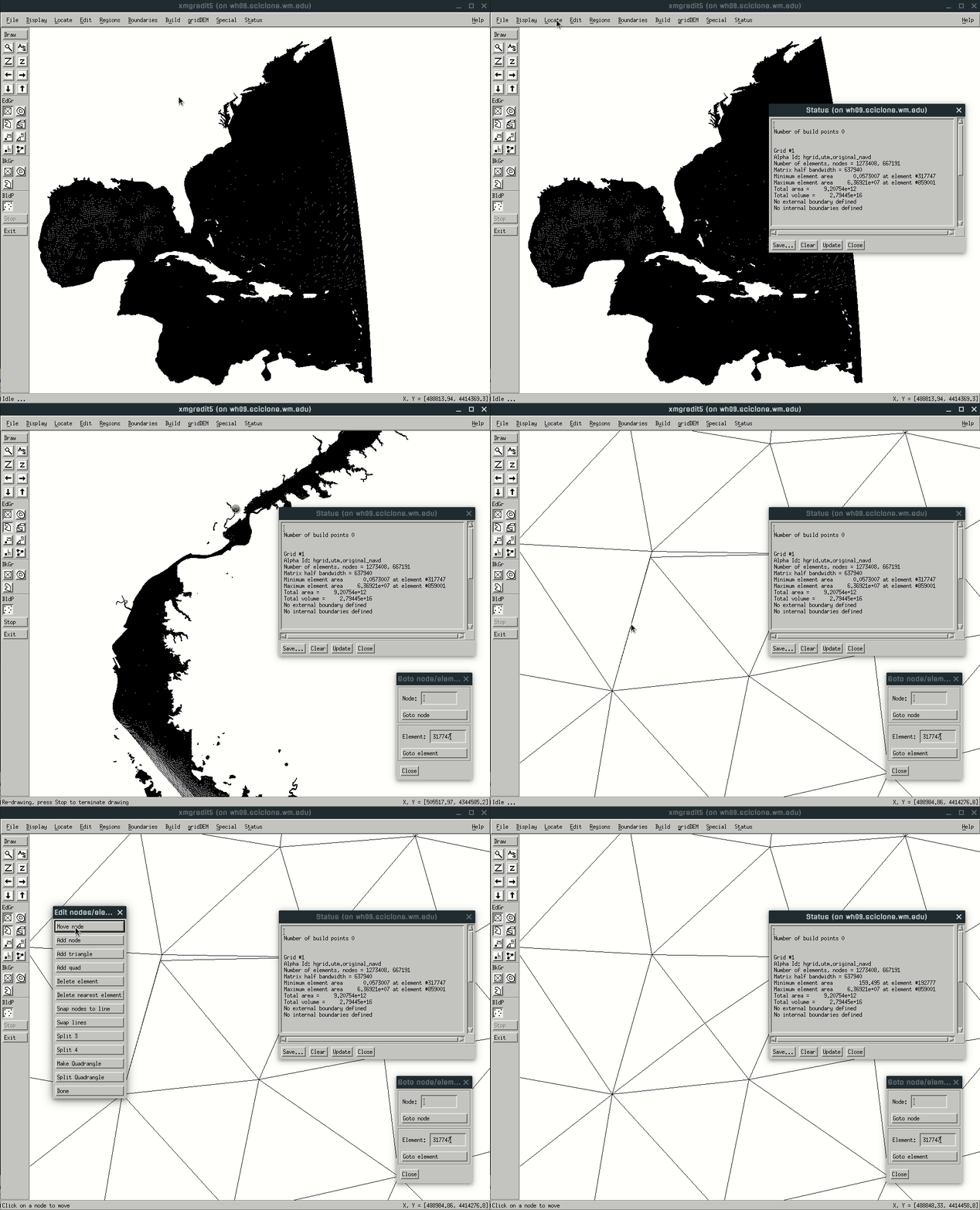
The GIF shows a quick and dirty way to fix the issue. A cleaner way is to manually edit the arcs in the SMS map to avoid complex-shaped polygons. Alternativaly, wait and hope for SMS to improve the handling of complex polygons in the next version.
Define boundaries
Define open boundaries and land boundaries in xmgredit5. This probably can also be done in SMS, since the grid format is similar to fort.14 and *.grd.
(Defining open/land boundaries; click image for animation; refresh or open in a new tab to start from the beginning of the animation)

Save the boundaries created above in a file (e.g., "bnd") under the run directory for later use.
Load bathymetry
Bathymetry in the ocean (ETOPO) and the Delaware Bay (USGS) can be loaded by running the scripts under this folder. Make sure hgrid.utm.26918 and bnd are present in your run directory; copy the folder to your run directory, then:
[your_run_dir]$ cd Load_bathy/
[your_run_dir/Load_bathy/]$ ./load_bathy.pl
Note that the scripts depend on PROJ.4 - Cartographic Projections Library, which has to be installed. Due to the large size of the USGS DEM, it has been zipped under this folder and has to be extracted into "nj_de_tbdem_resamp3m_split*.tif.asc" files. Each of these *.asc file is a tile covering part of the Delaware Bay region.
Also note that the SMS map is in Cartesian coordinates (epsg: 26918; NAD83 / UTM zone 18N), while the Delaware Bay model runs on geographic coordinates (lon/lat). The script will automatically generate the following grid files:
- hgrid.ll/hgrid.gr3 (geographic coordinates, used by the model run)
- hgrid.utm.26918 (UTM, bathymetry loaded, used by some inputs-generation scripts)
- hgrid.cpp (Cartesian CPP coordinates, used by some inputs-generation scripts).
- hgrid.utm.26918 (UTM, bathymetry loaded, used by some inputs-generation scripts)
The script also appends the boundary information to the end of each grid file.
■