Overview
Properties on elements are specified by *.prop files.
A *.prop file is a simple ascii file that specify a value for each element:
 1 1
 2 1
 3 1
 4 0
 5 0
...
In the above example, Elements 1-3 have the value 1 and Elements 4-5 have the value 0.
Commonly used *.prop inputs
Two types of *.prop inputs are often used in a SCHISM simulation:
- tvd.prop
This input is useful in baroclinic runs only (not needed for 2D batrotropic setups). Elements valued as 0 ignore the globally set high-order transport scheme (itr_met>1 in param.nml) and use the 1st order upwind scheme instead. This is useful for reducing computational cost where tracer gradient is negligible.
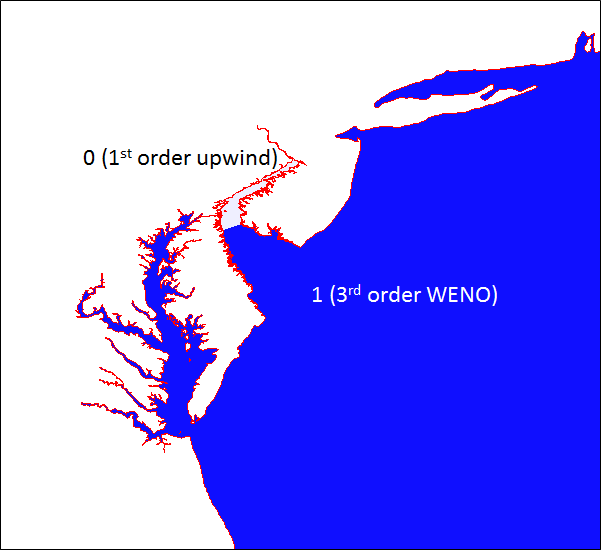
- fluxflag.prop
This input specifies transects through which volume/mass transport is calculated and written in $your_run_dir/outputs/flux.dat. The flux is measured from a pair of adjacent regions that differ by exactly 1 in prop values, e.g., the regions valued as 3 and 2 in the figure below. The positive direction is from the higher-value region to the lower-value region. Regions valued as -1 is excluded from the calculation.
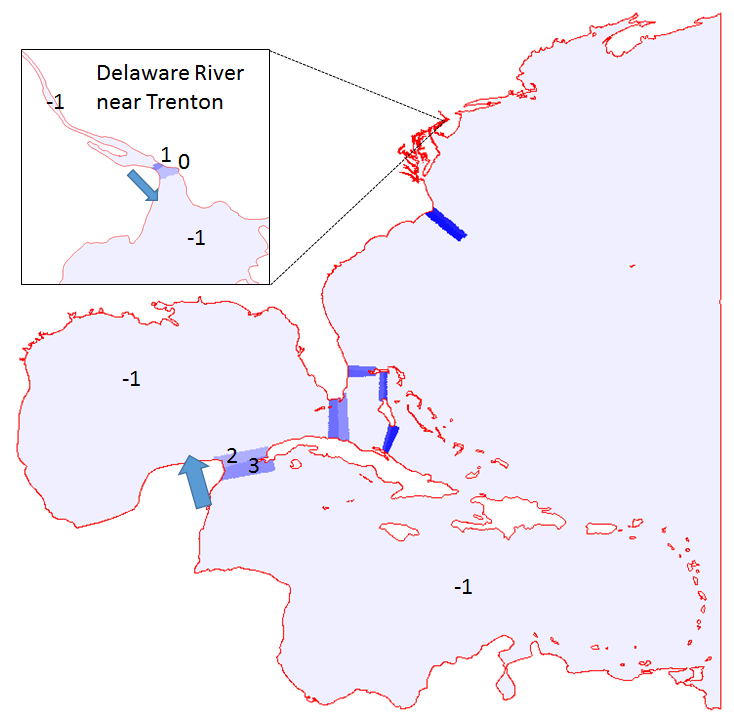
- fluxflag.prop
Generating *.prop
These *.prop can be made with xmgredit5 as:
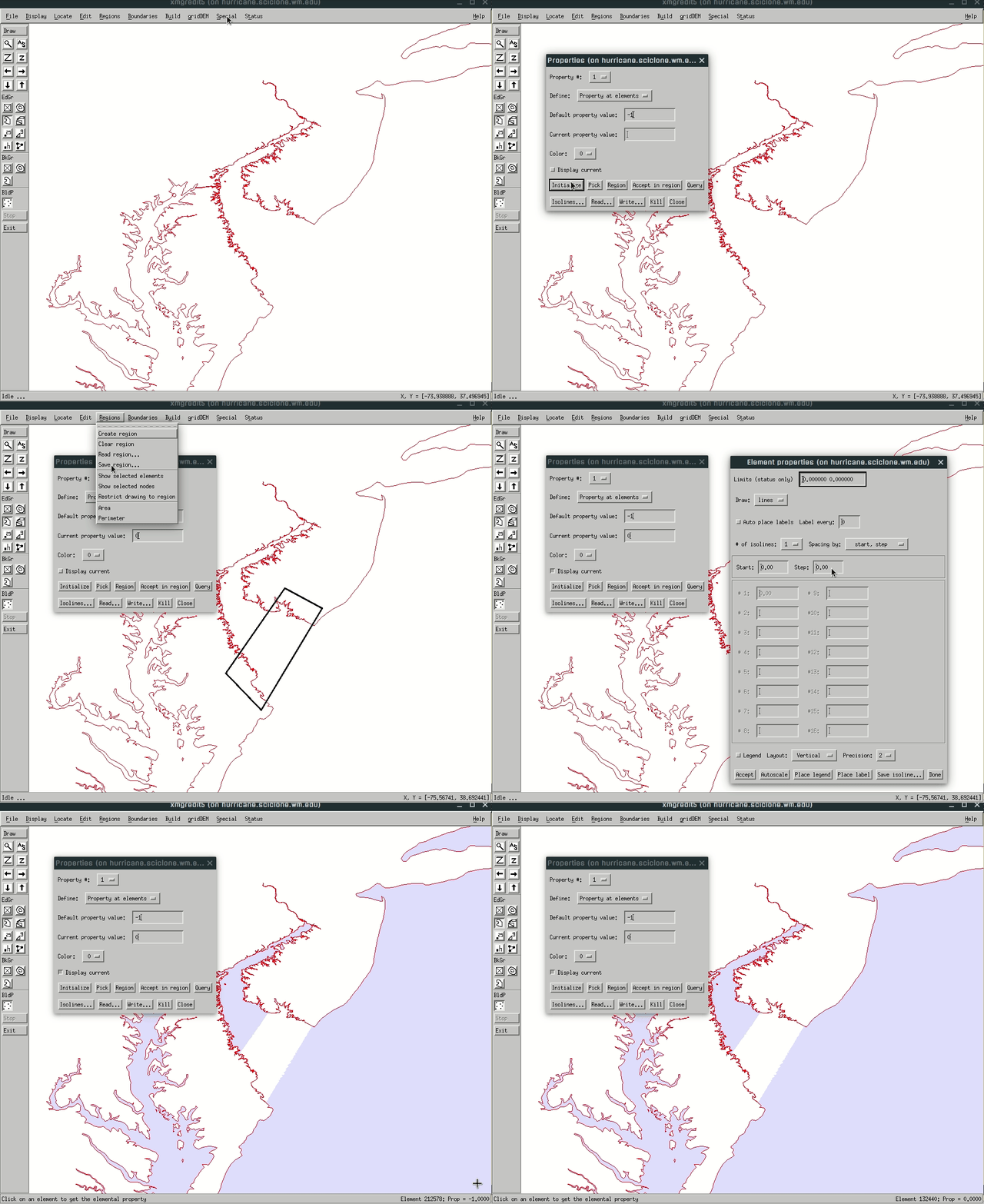
The *.reg format
As an intermediate step in the gif animiation in the previous section, it shows how to draw a region in xmgredit. This region can be saved as a *.reg file, which is a very simple ascii file that defines a polygon, e.g.:
Region written by ACE/gredit
 1
 10 1
 -76.300678 40.276543
 -75.835420 39.857699
 -75.740470 39.362703
 -75.560064 37.830117
 -75.882896 37.249447
 -76.072797 36.716374
 -76.708965 35.869168
 -77.449578 37.696848
 -77.648974 38.934340
 -77.326143 40.219428
In practice, we almost always define one polygon per *.reg file, so you only need to worry about the number "10" in the header, which means number of vertices in the polygon.
These vertices are arranged in the counter-clock wise fashion.
The *.reg file is not a SCHISM input; it is only used in pre-processing.
Script
You can use the group of scripts in SCHISM GIT:
[SCHISM_GIT_dir]/src/Utility/Pre-Processing/NWM/Prop/
to automatically make tvd.prop and fluxflag.prop. The structure of the Prop/ folder looks like this:
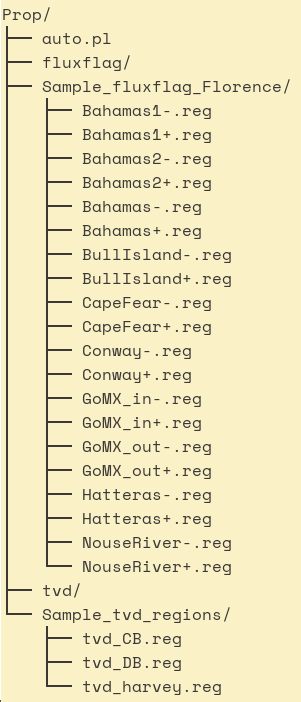
The automation script (Prop/auto.pl) will search for regions in [your_run_dir]/Prop/tvd/ and [your_run_dir]/Prop/fluxflag/.
Under Prop/tvd/, specify regions in which you don't want high-order transport scheme. Put each region in a separate *.reg file.
Under fluxflag/, specify transects through which you need to record the fluxes. Two *.reg files are needed to define each transect. The naming convention is "transect_name+" at upstream and "transect_name-.reg" at downstream. The automation will assign proper element values in each region and make a table (showing values and transects) for your reference.
Sample regions are provided in Prop/Sample_*/.
■